Rental property accounting,
simplified.
Track income and expenses across all your properties, collect rent by ACH, and generate Schedule E reports with one click. Know your true cash flow at a glance.
Free to start with up to 3 rental units. Works for 3 units or 300.
- Maple St. Duplex · AChen · autopayPaid$1,450.00
- Maple St. Duplex · BAlvarez · autopayPaid$1,395.00
- 114 Birchwood LnPatel · due Jun 5Scheduled$2,100.00
 Payments
 Bank sync
 E-signatures
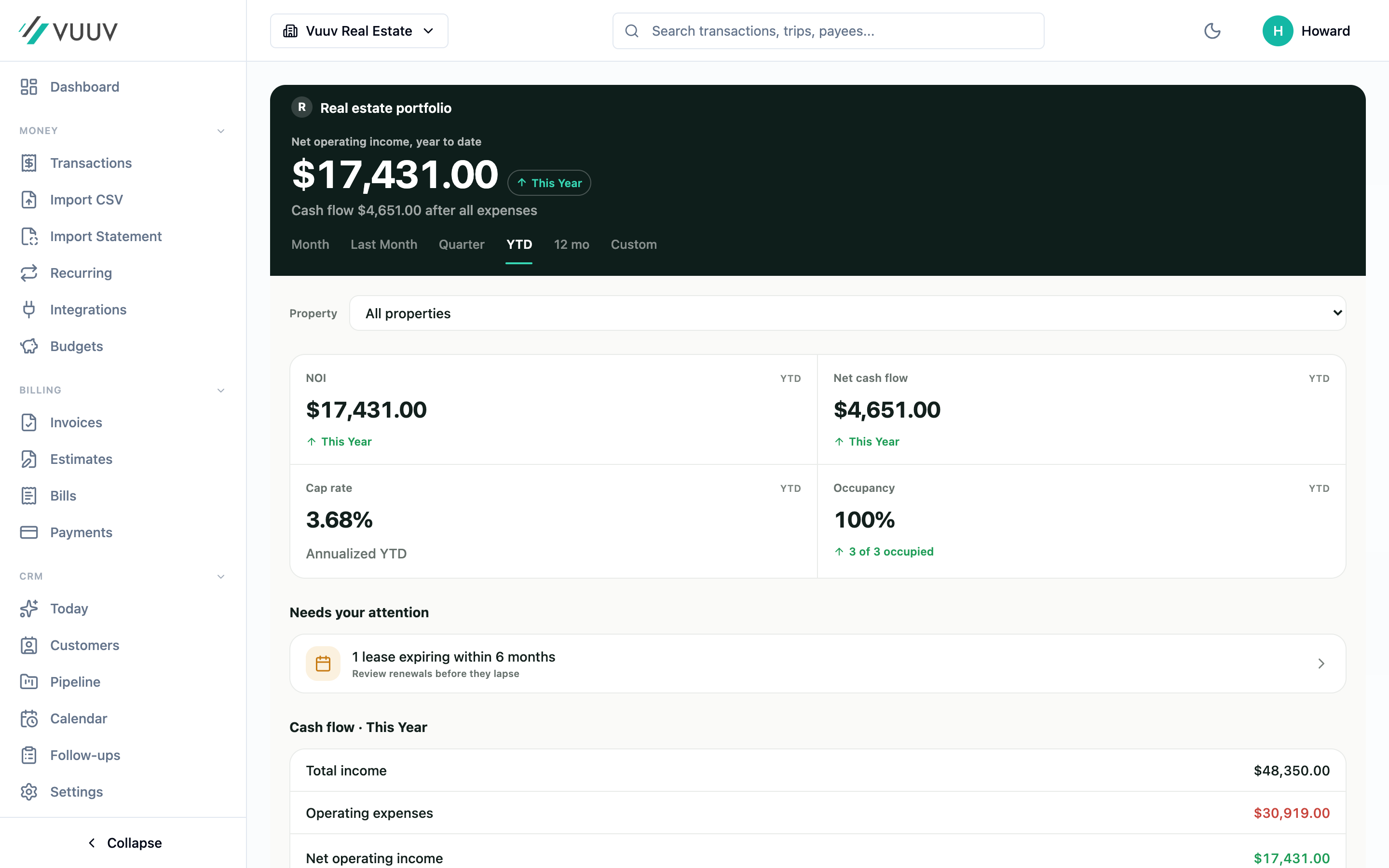
Your whole portfolio, on one screen.
Net operating income, cash flow, and occupancy across every property, updated as the money moves.
Works for every type of rental
Long-term rentals
Traditional annual leases and month-to-month tenants
Short-term rentals
Airbnb, VRBO, and vacation rentals
Multi-family
Duplexes, triplexes, and apartment buildings
Single family
Individual rental homes and condos
Everything a landlord needs
From tracking rent to generating tax reports
Rental income tracking
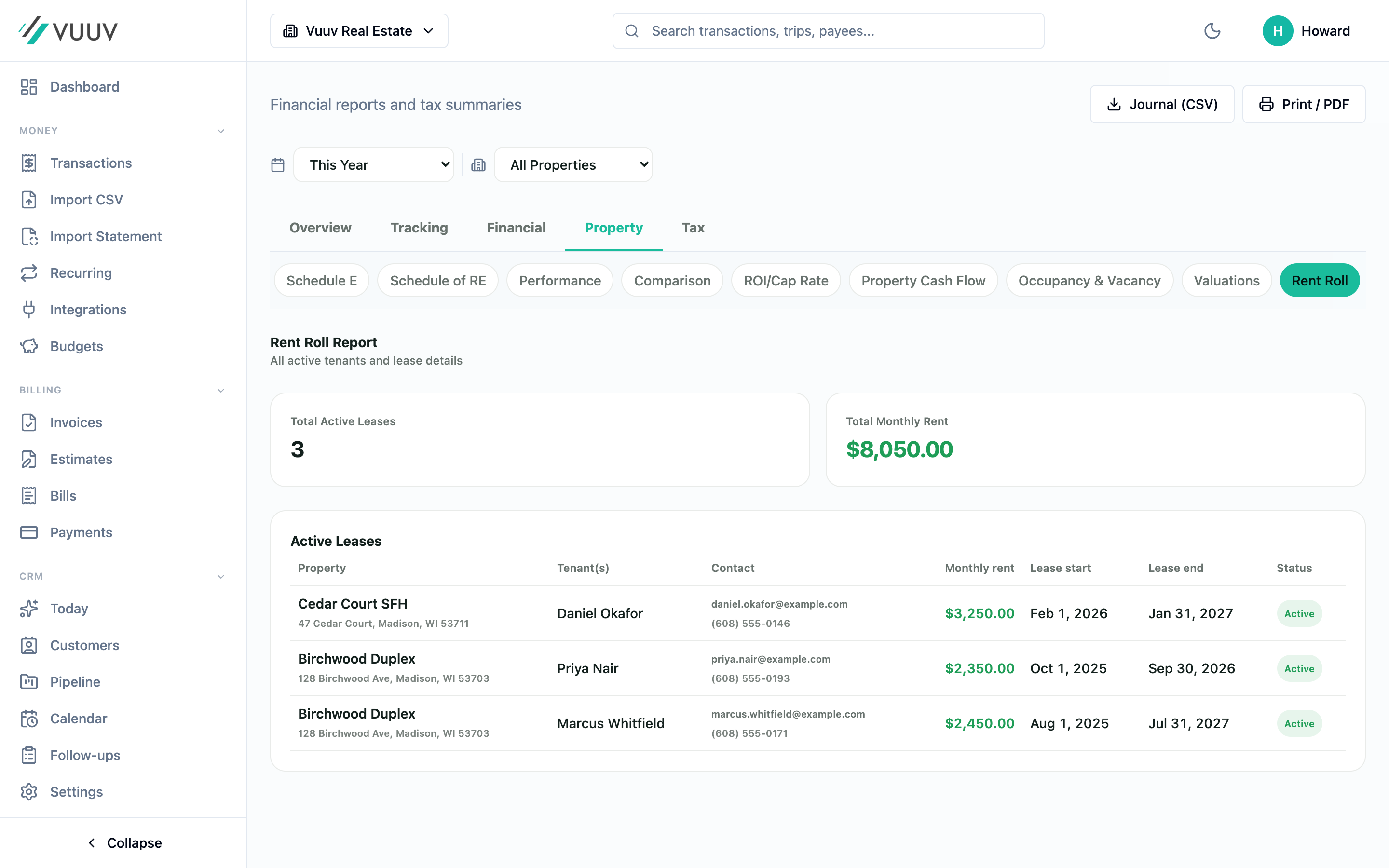
Track rent payments by property and tenant. See who's paid and who's late at a glance.
Expense management
Log repairs, maintenance, utilities, and more. Attach receipts and assign to specific properties.
Multi-property dashboard
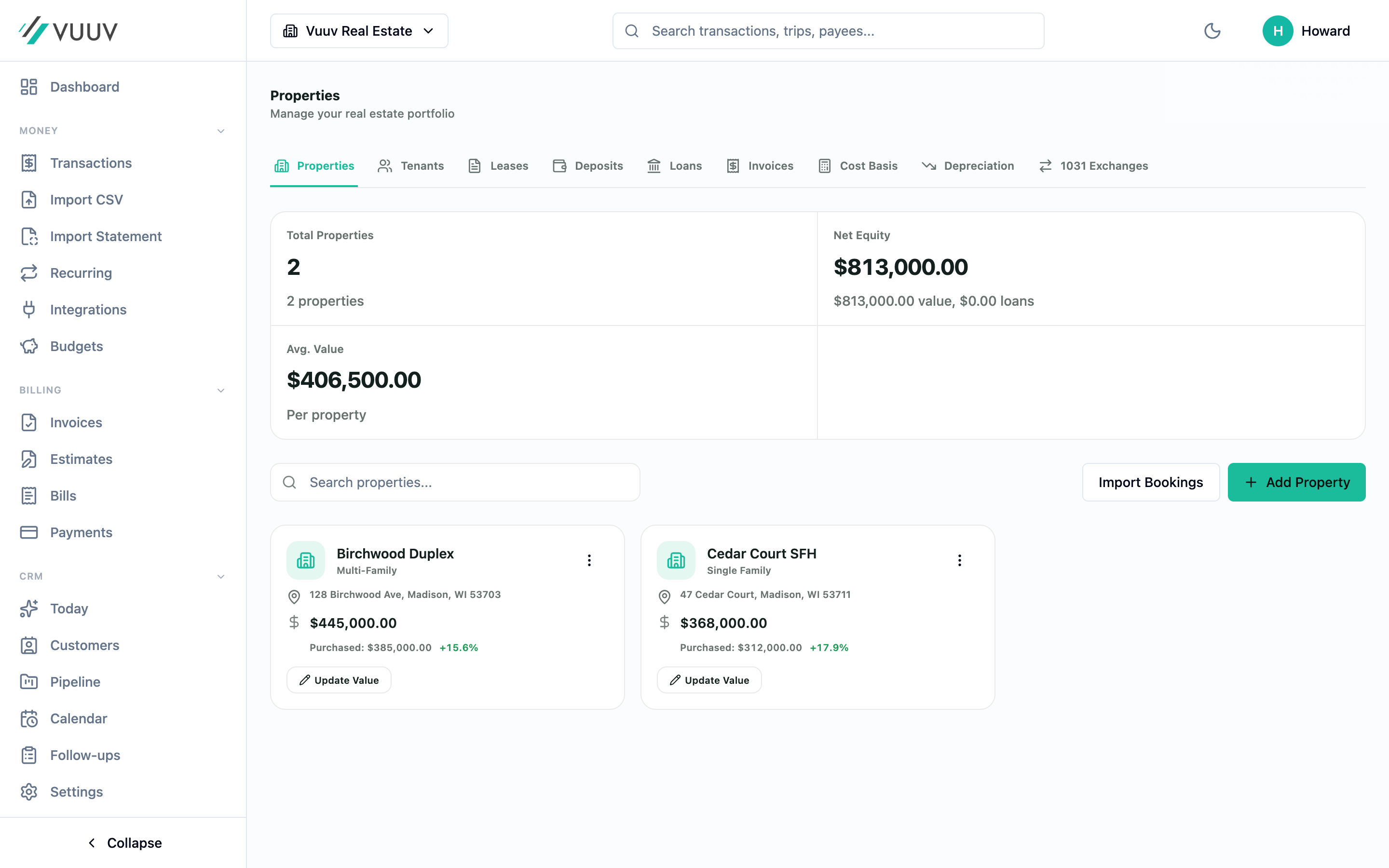
See all your properties in one place. Compare performance and track portfolio growth.
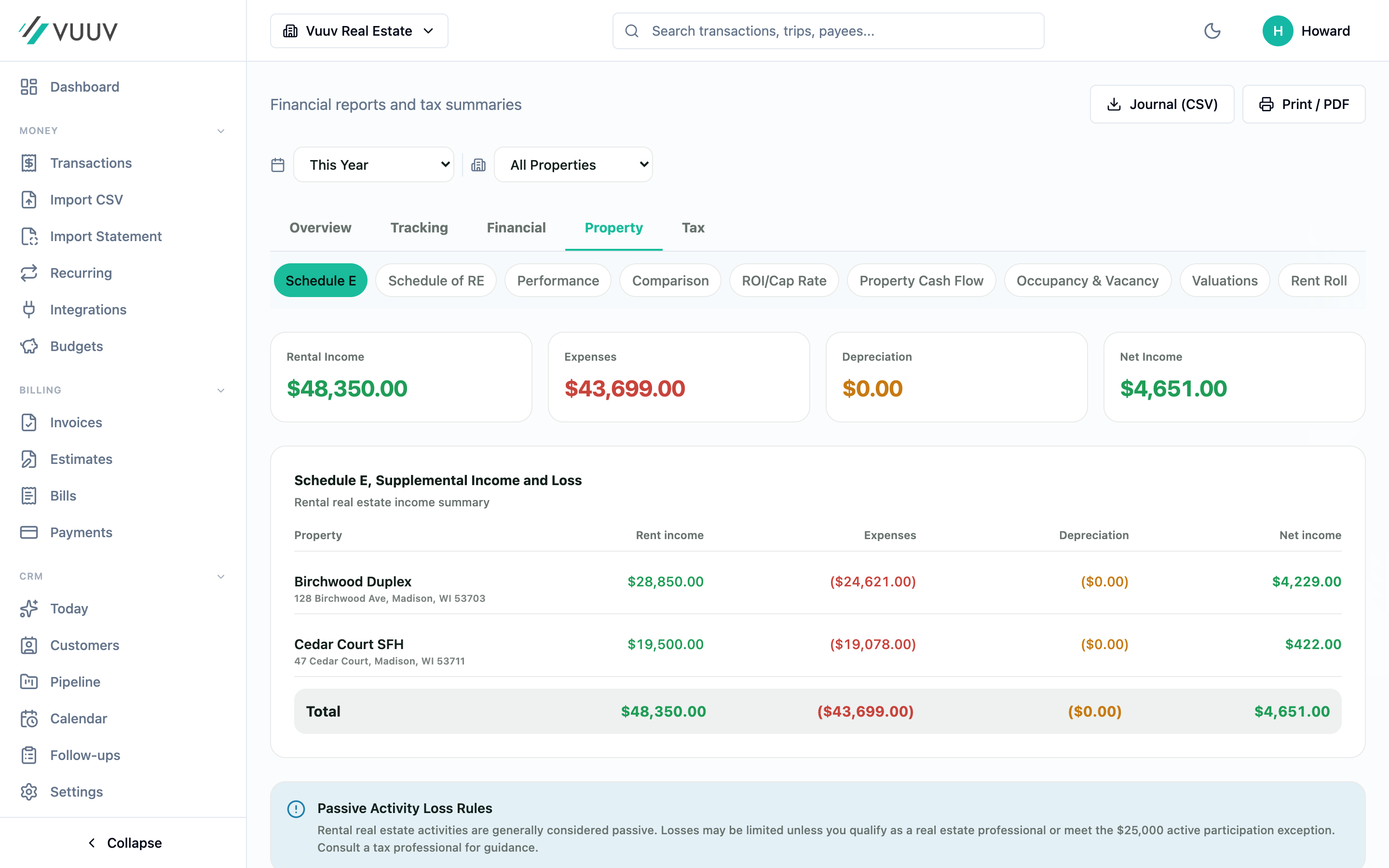
Schedule E reports
Generate IRS Schedule E with one click. All income and expenses categorized by property.
Depreciation tracking
Track depreciation schedules for buildings, appliances, and improvements. MACRS compliant.
Tenant management
Keep tenant contact info and lease details organized. Track security deposits and lease terms.
Know your true cash flow for every property
Vuuv automatically calculates your net operating income, cash-on-cash return, and true profit after all expenses, including depreciation for tax purposes.
- Track gross rent, vacancy, and effective income
- Categorize operating expenses by IRS Schedule E categories
- Calculate depreciation for buildings and improvements
- See true cash flow vs. taxable income
- Compare property performance year-over-year
- Import Airbnb and VRBO booking data
123 Main Street
2026 year to date
Schedule E reports in one click
At tax time, just click "Generate Schedule E" and Vuuv creates a clean, ready-to-file report with income and expenses organized to match Schedule E categories. Send it directly to your accountant or use it to file yourself.
Income section
- • Rental income by property
- • Security deposits forfeited
- • Other income (late fees, etc.)
Expense categories
- • Advertising, Cleaning, Insurance
- • Management, Repairs, Taxes
- • Utilities, Depreciation, Other
Per-property
- • Separate P&L per property
- • Days rented vs. personal use
- • QBI deduction eligibility
Vuuv AI for real estate investors*
AI-powered categorization for property expenses, duplicate detection across multiple properties, audit flagging for missing receipts, and a year-end tax narrative that summarizes your entire portfolio for your CPA.
*Vuuv AI included with Pro & Elite. Available on web, iOS, and Android.
The whole rental stack. One login.
Most landlords end up with one app for the books, another for mileage, a third for rent collection, and a spreadsheet holding it together. Vuuv folds all of it into one $12 plan. And if you also freelance or run a business on the side, those books live here too, in the same ledger.
- Rent lands by ACH and books itself
- GPS mileage for showings, turnovers, and supply runs
- Leases e-signed and security deposits tracked
- Schedule E and Schedule C from the same ledger
Less than one hour of your accountant's time
Start free on Plus with up to 3 rental units, unlimited transactions, and your Schedule E on screen. Upgrade to Pro for unlimited businesses and properties, bank sync, GPS mileage tracking, full Vuuv AI, and exportable tax deliverables.
Then $1 a month for 3 months, and $12 a month after that.
Questions landlords actually ask
Yes. The free Plus plan covers up to 3 rental units with unlimited transactions, unlimited invoicing, online rent collection where Vuuv never takes a cut, and your Schedule E viewable on screen, which is enough for a small portfolio. The Pro plan opens up unlimited businesses and properties, bank sync, full Vuuv AI, and exportable tax deliverables like the PDF and CSV of your Schedule E, the 1099-NEC, and the year-end tax packet.
Yes. Vuuv categorizes rental income and expenses the way the IRS expects and generates a per-property Schedule E report in one click. You can file it yourself or hand it to your accountant.
Yes. Vuuv collects rent through ACH bank transfers powered by Stripe, and the payments land in your books automatically so there's nothing to re-enter. You can see who has paid and who is late across every property.
Vuuv tracks MACRS-style depreciation schedules for buildings, improvements, and appliances, and includes the figures in your Schedule E. Depreciation has real tax consequences, including recapture when you sell, so confirm the treatment with your CPA.
Related features and comparisons
We use cookies. Essential cookies keep you signed in. With your permission we also use analytics, plus advertising cookies on our marketing pages. See our Privacy Policy.